
YOUR WORKSHOP GUIDE
Let’s take it one bottle at a time.
From your first pour to your trickiest puzzle. Here’s a little help for your workshop.
01 · GETTING STARTED
How to play
- 1
Pick a bottle
Tap a bottle with water to lift it.
- 2
Pour onto a match
Tap an empty bottle or one with the same top color. It needs room for the water.
- 3
Give each color a home
Finish when every bottle is empty or completely filled with a single color.
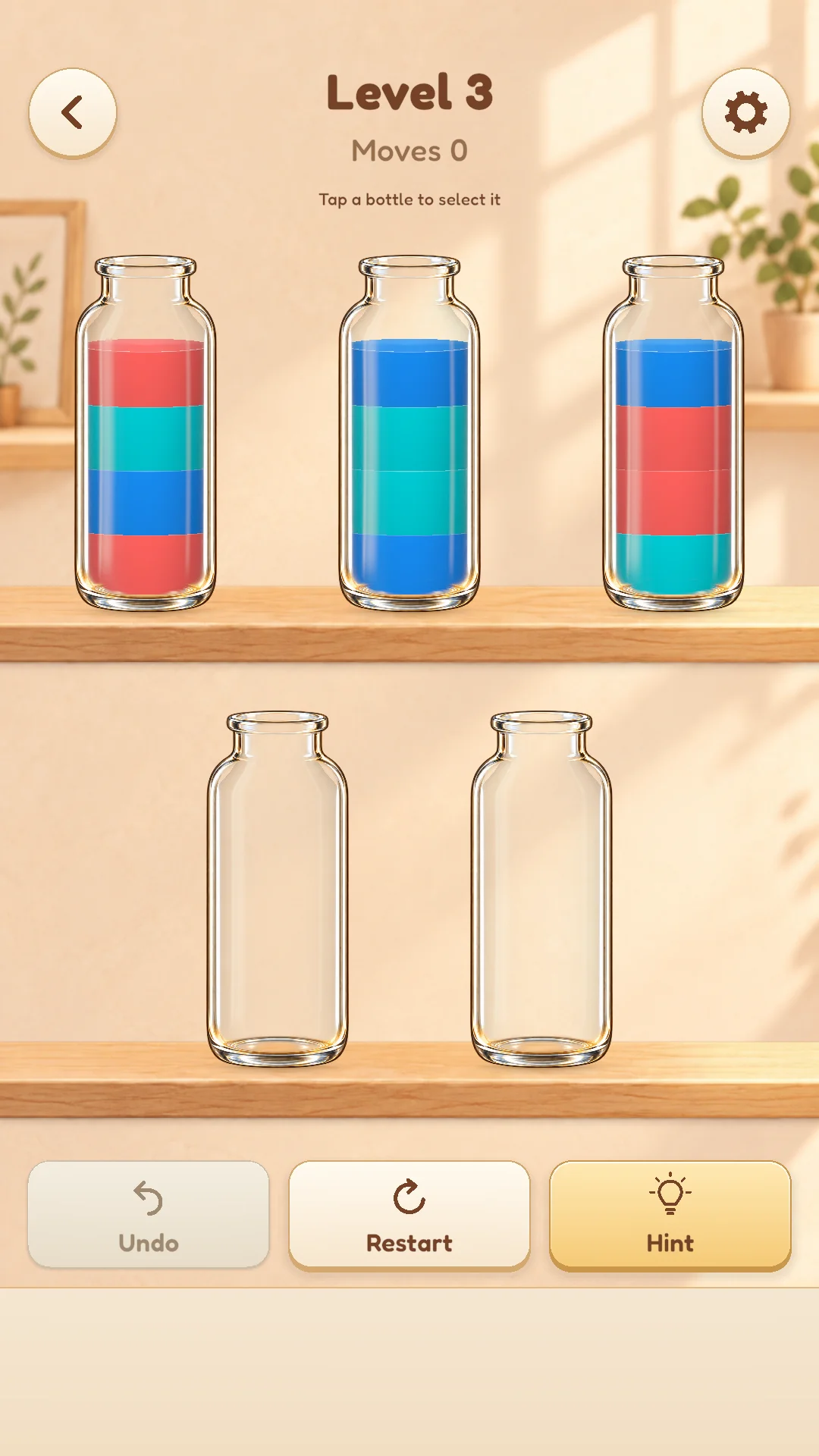
Where can I pour?
- The source bottle needs water, and the receiving bottle needs empty space.
- Pour into an empty bottle or onto the same top color.
- Consecutive layers of the same top color move together, up to the available space.
- Tap the selected bottle again, or tap the background, to cancel your selection.
- Tapping an invalid destination does not add to your move count.
When is a level complete?
Every bottle must be empty or completely filled with a single color. A partially filled bottle still needs sorting, even if it contains only one color.
02 · ANOTHER WAY FORWARD
A little help when you’re stuck
- Undo
- Go back to before your last move. You can undo earlier moves too, but restarting clears the move history for that attempt.
- Restart
- Return the current level to its starting arrangement. The move count and undo history reset, while completed level records stay safe.
- Hint
- Look for a next move toward solving the current board. If no solution is found or the search limit is reached, the game will let you know. Try undoing or restarting to explore another approach.
03 · MAKE IT YOURS
Make yourself comfortable
- Color numbers
- Turn on color numbers in the display and accessibility settings to label the water layers. This helps distinguish similar colors.
- Motion, sound and vibration
- Enable reduced motion or adjust music, sound effects and vibration individually.
- Game language
- The game supports 12 languages, including Korean and English. On first launch it follows a supported device language, then remembers your choice in settings.
04 · GOOD TO KNOW
Frequently asked questions
Is there a time limit?
There’s no timer. Take as long as you need to think through the next move.
Can I play without the internet?
Puzzles and progress saving work offline. Ads, consent and analytics features use a network connection.
How is my progress saved?
Moves and setting changes are saved automatically on your current device. Use Continue when you reopen the app. There is no cloud sync, so progress may not transfer if you delete the app or switch devices.
What if I see a save error?
Read the message shown in the game. Saving may pause to protect existing progress if files cannot be read. Check device storage and access, then reopen the app. Contact support if the problem continues.
Can I replay completed levels?
Choose any unlocked level from the level picker. Replaying does not erase your previous completion record.
Are there ads or in-app purchases?
There is a small banner at the bottom of the game screen. Currently there are no full-screen ads, rewarded ads or in-app purchases.
Where can I change ad and data preferences?
In regions where consent is required, the game settings show Ad & Data Preferences. Open that menu to change your choice. See the privacy policy for more details.
Still have a question?
Include your device, game version and what happened so we can take a closer look.